
Timecard Approval: How Often to Approve Time Cards and More
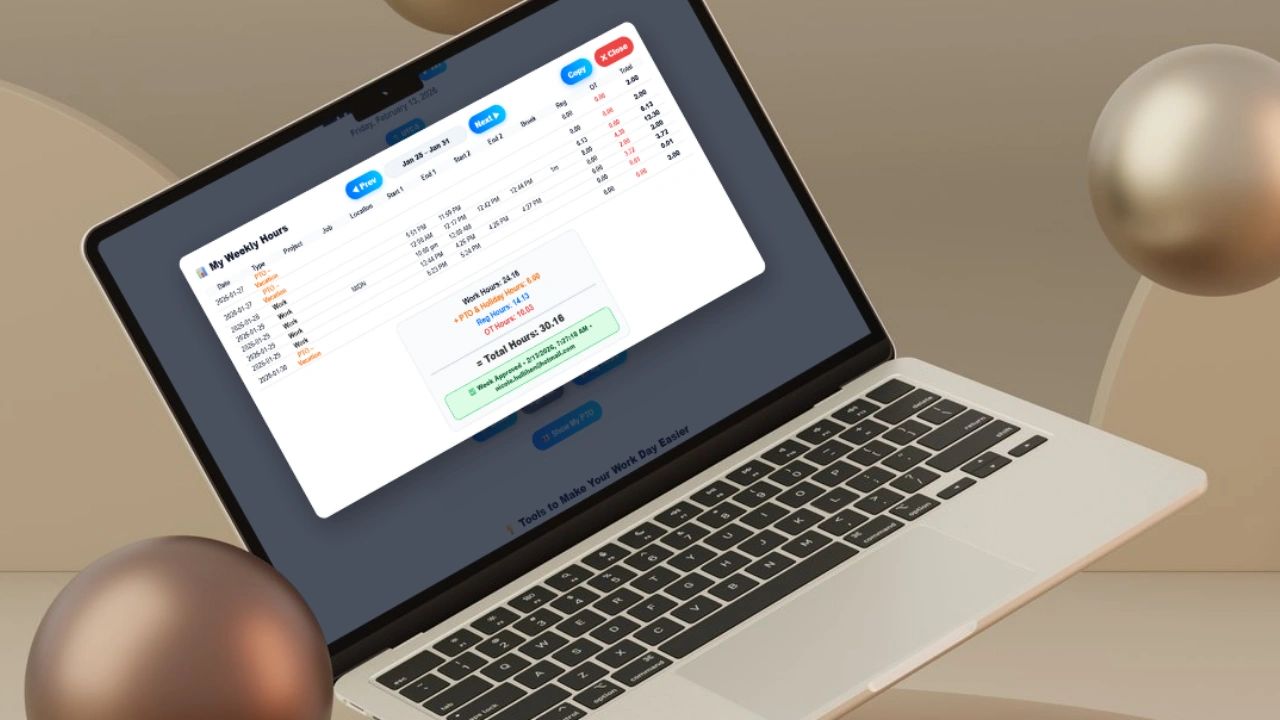
Time cards should be reviewed at least weekly and formally approved before payroll is processed.
For most businesses, weekly approval is the operational standard regardless of whether payroll runs weekly, biweekly, or semi-monthly.
Here’s why.
1. Weekly Approval Aligns with Payroll Cycles
Most payroll cycles operate on a weekly or biweekly cadence. Weekly review ensures:
- Managers are not reviewing 80+ hours per employee at once
- Overtime trends are visible before payroll is finalized
- PTO usage is reconciled before balances drift
- Errors are caught while details are still fresh
When approval happens close to when work occurred, accuracy improves significantly.
2. Weekly Review Prevents Errors from Compounding
Small time tracking errors multiply.
Examples:
- A missed clock-out defaults to 12+ hours
- An incorrect job code distorts project profitability
- A forgotten PTO entry affects payroll balances
If these issues sit for two weeks or longer, they become harder to verify. Weekly review keeps problems small and manageable.
3. Weekly Approval Catches Overtime Early
Overtime compliance is one of the largest payroll risk areas.
When managers review time weekly, they can:
- Spot unauthorized overtime
- Identify schedule inefficiencies
- Correct misapplied overtime multipliers
- Prevent unexpected labor cost spikes
Waiting until the end of a pay period often leads to surprise overtime costs that were avoidable.
4. It Reduces Payroll-Week Chaos
When time cards are not reviewed consistently, payroll week looks like this:
- Managers scrambling to approve hours
- Employees disputing missing punches
- HR chasing corrections
- Accounting adjusting exports
Weekly approval removes that chaos. It turns payroll into a predictable process instead of a fire drill.
What If You Run Biweekly or Semi-Monthly Payroll?
Even if payroll runs every two weeks or twice per month, weekly review is still recommended.
Waiting until the end of a pay period increases the likelihood of:
- Missed clock-outs
- Incorrect overtime totals
- PTO balance errors
- Holiday pay miscalculations
- Billing inaccuracies
- Forgotten schedule changes
By week two, employees often cannot accurately recall week one details. Weekly review protects accuracy.
Should Timecards Ever Be Approved Daily?
In some industries, daily oversight makes sense:
- Construction & field service
- Healthcare
- Hospitality
- Manufacturing
- High-overtime operations
Daily review allows managers to:
- Catch missing punches immediately
- Monitor real-time overtime
- Correct job codes before margins shift
In these environments, daily review with weekly final approval is ideal.
What Happens If Time Sheets Are Not Approved?
Delaying approval creates operational risk in three major areas.
1. Payroll Risk
Unverified hours can result in:
- Overpaying employees
- Underpaying employees
- Incorrect tax withholdings
- Retroactive payroll adjustments
Payroll corrections are expensive and time-consuming.
2. Compliance Risk
Labor laws require accurate time records.
Without timely approval:
- Documentation gaps appear
- Overtime compliance weakens
- Audit trails break down
A consistent approval schedule strengthens compliance posture.
3. Profitability Distortion
If hours flow into job costing or invoicing, delayed approval can:
- Misstate project costs
- Delay invoicing
- Inflate or understate margins
Weekly review protects financial clarity.
Who Should Approve Employee Time Cards?
Time cards should be approved by a direct manager or supervisor who understands:
- The employee’s schedule
- Assigned projects
- Approved overtime
- PTO policies
- Pay rules
A standard workflow looks like:
- Employee submits time
- Manager reviews and approves
- Payroll processes finalized records
Approval should not be automated without review. It is a control mechanism not a checkbox.
Is Manager Approval Required Before Payroll?
Best practice: Yes.
Payroll should only be processed after time records are verified and approved.
Approval provides:
- Audit trail documentation
- Internal control over labor spend
- Protection during disputes
- Confidence in overtime compliance
Processing payroll without approved time increases exposure to costly corrections.
What Is the Ideal Time Card Approval Timeline?
A structured timeline might look like:
- Friday: Employees submit weekly hours
- Monday: Managers review and approve
- Tuesday: Payroll processes approved time
This creates:
- Clear accountability
- Predictable review windows
- Clean payroll exports
- Locked, auditable records
Consistency matters more than frequency.
What Is the Best Timecard Approval Process?
A strong process has three stages.
Step 1: Employee Review & Submission
Employees confirm:
- Clock-in/out accuracy
- Break entries
- PTO entries
- Job allocations
Then they formally submit their time.
Step 2: Manager Review
Managers verify:
- Overtime alignment
- Schedule consistency
- Project coding
- Policy compliance
Step 3: Lock & Finalize
Approved time entries should:
- Be locked from casual edits
- Be timestamped
- Feed directly into payroll reports
This prevents retroactive changes without oversight.
What Should Time Card Approval Software Include?
If evaluating time tracking software for payroll approval, look for:
- Employee submission workflow
- Manager approval controls
- Automated overtime calculations
- PTO tracking integration
- Salary and hourly pay configuration
- Multiplier settings (OT, holiday, custom)
- Locked approved records
- Audit history
- Excel/CSV payroll export
Many systems track time. Few manage approval correctly.
Time Card Approval Is a Financial Control System
Time card approval protects:
- Payroll accuracy
- Compliance integrity
- Labor forecasting
- Job costing accuracy
- Employee trust
- Cash flow predictability
When structured properly, it becomes a financial control system not administrative busywork. It prevents surprises.
Streamline Time Card Approval with Updoot
Updoot is designed to eliminate payroll chaos.
With Updoot, you can:
- Allow employees to submit weekly hours
- Review and approve time in one click
- Automatically calculate overtime and multipliers
- Track PTO and salaried configurations
- Lock approved records
- Export payroll-ready reports instantly
No spreadsheets. No manual math. No chasing down time cards.
If you want a clean, structured payroll approval workflow built for growing businesses, start using Updoot and turn time tracking into payroll clarity.
Opens in Google Drive — view and download for free