
Project Management Software with Invoicing the Complete Guide
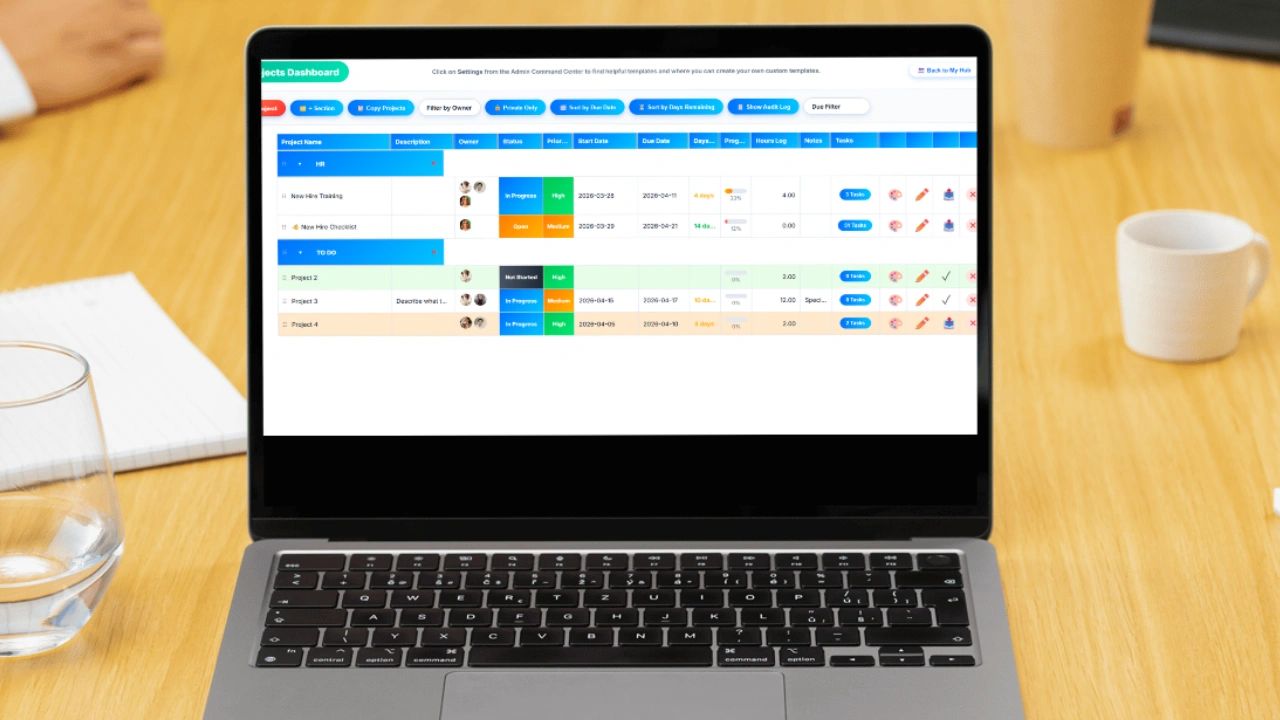
Learn how easy it is to get paid for projects you complete when you have project software combined with invoicing. Managing projects is one thing. Getting paid for them is another. A lot of businesses do a decent job organizing work. They assign tasks, set deadlines, and track progress. But when it comes time to invoice clients, everything falls apart. Hours are missing. Tasks are unclear. Billing takes too long. Revenue gets delayed.
The problem is not effort. The problem is disconnected systems.
Project management software with invoicing fixes that by bringing planning, execution, and billing into one place. It allows you to build a project, assign roles, define tasks with hours, track progress in real time, collaborate with your team, and then turn that work into an invoice with a single click.
This article walks through how it works, what features matter, and why it is becoming essential for modern businesses.
What Is Project Management Software with Invoicing
Project management software with invoicing is a system that connects how work is planned to how it gets billed.
Instead of separating project tracking and accounting, everything lives in one platform. Every task, hour, and update contributes to a complete picture of the project and its value.
At its core, it allows you to:
- Assign roles to team members and contributors
- Break projects into tasks with estimated hours
- Set start dates and due dates
- Track progress visually
- Collaborate through comments and notes
- Convert completed work into invoices instantly
This eliminates the gap between doing the work and getting paid for it.
Why Traditional Project Tracking Falls Short
Let’s be honest. Most teams are still piecing this together manually.
They might use a project board to track tasks, a spreadsheet to log hours, and a separate system to create invoices. That creates problems fast.
Disconnected Data
Tasks live in one place. Time lives in another. Invoices are created somewhere else. Nothing lines up perfectly.
Missing Hours
When hours are not tied directly to tasks, they get forgotten or estimated after the fact.
Slow Billing
Teams wait until the end of a project to gather everything, which delays invoicing and cash flow.
Lack of Visibility
Leaders cannot quickly see how a project is performing or how close it is to completion.
Poor Collaboration
Without a shared system, communication gets scattered across emails, messages, and documents.
This is where integrated software changes everything.
Building a Project from Start to Finish
The real power of project management software with invoicing comes from how a project is structured.
Assign Roles and Responsibilities
Every project starts with people.
You can assign roles such as:
- Project manager
- Contributor
- Reviewer
- Client stakeholder
This ensures accountability from the beginning. Everyone knows who owns what.
Create Tasks with Estimated Hours
Projects are broken down into clear tasks.
Each task includes:
- A description of the work
- Assigned team member
- Estimated number of hours
This is critical. When tasks have defined hours, you create a direct link between effort and billing.
Set Start Dates and Due Dates
Every task and project should have a timeline.
Start dates define when work begins. Due dates define when it must be completed.
This helps teams prioritize work and stay aligned on deadlines.
Track Progress with Visual Indicators
One of the most valuable features is a progress bar that shows how far along a project is.
Instead of digging through tasks, you can see at a glance:
- Percentage complete
- Tasks finished versus remaining
- Whether the project is on track
This gives instant visibility to managers and clients.
Collaboration That Actually Works
Projects rarely succeed in isolation. Collaboration is where most tools either shine or fail.
Shareable Projects
Modern project management software allows you to share projects with:
- Internal team members
- External contributors
- Clients
This keeps everyone aligned without needing constant updates.
Comments for Communication
Each task or project includes a comment section.
Team members can:
- Ask questions
- Provide updates
- Flag issues
This keeps communication tied directly to the work instead of scattered across emails.
Notes for Context
Notes allow you to store important information such as:
- Instructions
- Requirements
- Client feedback
- Links or references
This ensures that nothing gets lost and everyone has the context they need.
From Work to Invoice in One Click
This is where things shift from organization to revenue.
Once tasks are completed and hours are tracked, the system allows you to generate an invoice instantly.
Instead of manually compiling data, you simply:
- Select the project or completed tasks
- Review tracked hours
- Click a button to create the invoice
That’s it.
The invoice reflects the actual work completed, based on real data.
Why This Matters for Cash Flow
Speed matters when it comes to getting paid.
When invoicing is delayed, payments are delayed. That impacts your ability to operate and grow.
With integrated invoicing:
- Work is billed immediately after completion
- Errors are reduced because data is accurate
- Clients receive clear, detailed invoices
This leads to faster payments and better cash flow.
Real Time Visibility for Better Decisions
One of the biggest advantages of this type of software is visibility.
At any moment, you can see:
- How much work has been completed
- How many hours have been used
- Whether a project is within budget
- How close it is to being finished
This allows you to make adjustments before problems escalate.
Example Workflow
Here is what a typical workflow looks like.
Step 1: Create the Project
Define the project, assign roles, and set timelines.
Step 2: Build Tasks
Break the project into tasks and assign hours to each one.
Step 3: Assign Team Members
Allocate responsibilities so everyone knows their role.
Step 4: Collaborate
Use comments and notes to communicate and keep everything organized.
Step 5: Track Progress
Monitor the progress bar to see how the project is advancing.
Step 6: Complete Work
Mark tasks as finished as work is completed.
Step 7: Generate Invoice
Click a button to convert completed work into an invoice.
Who Benefits the Most
This type of system is valuable across many industries.
Agencies
Track creative work, manage clients, and bill accurately.
Consultants
Tie billable hours directly to project outcomes.
Construction and Field Teams
Assign work by job or location and track labor costs.
Service Businesses
Ensure every hour worked is accounted for and invoiced.
Common Mistakes to Avoid
Even with the right software, there are a few pitfalls.
Not Assigning Clear Roles
If ownership is unclear, tasks fall through the cracks.
Skipping Hour Estimates
Without estimated hours, it is harder to measure performance and profitability.
Poor Communication
Comments and notes should be used consistently to keep everyone aligned.
Delaying Invoices
The advantage of one click invoicing only works if you use it immediately.
Software Versus Spreadsheets
Some businesses still rely on spreadsheets to manage projects and billing.
That approach works at a small scale but breaks quickly as complexity increases.
Spreadsheets require manual updates, lack real time collaboration, and do not connect tasks to invoices automatically.
Software, on the other hand, provides structure, automation, and visibility.
If your goal is to grow, spreadsheets will eventually slow you down.
Choosing the Right Tool
When evaluating project management software with invoicing, focus on what actually matters.
Look for:
- Easy role assignment
- Task level hour tracking
- Clear start and due dates
- Visual progress tracking
- Built in collaboration tools
- Simple invoice generation
If a tool cannot connect these pieces seamlessly, it will create more work instead of less.
The Bigger Picture
This is not just about managing projects better.
It is about connecting effort to revenue.
When you assign tasks with hours, track progress, collaborate effectively, and invoice instantly, you create a system where nothing gets lost.
Every action contributes to a measurable outcome.
That is how businesses scale without chaos.
Final Thoughts
If you are managing projects without a direct link to invoicing, you are leaving money on the table.
Project management software with invoicing closes that gap.
It gives you:
- Structure in planning
- Clarity in execution
- Visibility in progress
- Speed in billing
And most importantly, it ensures that the work you complete turns into revenue without friction.
Frequently Asked Questions
What is project management software with invoicing? It is a system that connects how work is planned to how it gets billed. Instead of separating project tracking and accounting into different tools, everything lives in one platform so every task, hour, and update contributes directly to the invoice at the end of the project.
Why does traditional project tracking fall short for billing? Most teams piece together a project board for tasks, a spreadsheet for hours, and a separate system for invoices. This creates disconnected data that never lines up perfectly, hours that get forgotten or estimated after the fact, slow billing that delays cash flow, and poor visibility into how a project is actually performing.
How does connecting tasks to estimated hours improve invoicing accuracy? When every task includes a defined number of hours tied to a specific team member, you create a direct link between effort and billing. Hours are not estimated after the fact or reconstructed from memory. They are built into the project from the start and flow automatically into the invoice when work is complete.
Who benefits most from project management software with invoicing? Agencies tracking creative work and client billing, consultants tying billable hours to project outcomes, construction and field teams tracking labor costs by job, and service businesses that need every hour worked accounted for and invoiced benefit the most from this type of integrated system.
How does integrated invoicing improve cash flow? When invoicing is built into the project system, work can be billed immediately after completion rather than waiting until someone manually compiles data from multiple sources. Faster invoicing leads to faster payments, errors are reduced because the data is accurate, and clients receive clear detailed invoices that reflect the actual work completed.
What should you look for when choosing project management software with invoicing? Focus on easy role assignment, task level hour tracking, clear start and due dates, visual progress tracking that shows completion at a glance, built in collaboration through comments and notes, and simple one click invoice generation. If a tool cannot connect these pieces seamlessly it will create more work instead of less.
Bringing It All Together with Updoot
Updoot brings all of this into one system.
You can assign roles, create tasks with hours, set start and due dates, and track progress with clear visual indicators. Your team can collaborate through comments and notes while working from a shared, real time view of the project.
When the work is done, you do not switch tools or rebuild data. You simply click a button and generate an invoice based on the work already completed.
That means no missed hours, no delays, and no confusion.
Your projects, your team, and your revenue all stay connected in one place.
Related articles about billing and invoicing
How to Make Your Invoices Look Professional
Free Billing Format for Clients: Download Template and Examples