
Cut Routine Work Down to Seconds with Excel Macros
.png)
Your vision is to speed up routine and mundane work and report tasks with macros in Excel or Sheets.
This would be useful whether it’s yourself doing it or your employees. Either way, there has to be a way to free up some of that time spent, and there is! Excel Macros can be really useful.
What is a Macro?
Think of this as simple as recording your regular tasks like a video, and when you turn it on, Excel does the work you did in a matter of seconds. The name comes from Greek makros which means long or large, and they were originally made to use just a few characters to represent long instructions.
How to use Macros
All you have to do is name it, begin recording, and end recording. Make sure the name makes sense so that if you end up with multiple you can easier find what you are looking to run.
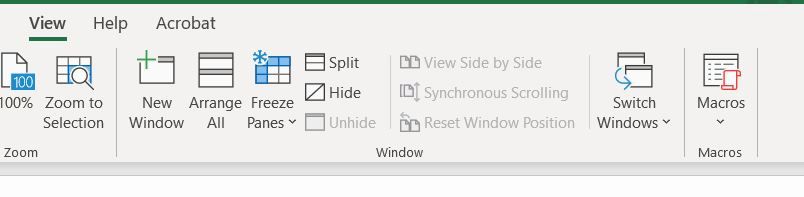
View → Macros → Record → Name it → Type in a shortcut → Choose storage → Enter description → Ok
When you are done with the steps:
View → Macros → Stop recording
When you want to run the Macro:
View → Macros → View Macros → Choose the one
OR
You may use the shortcut you entered in at the time of recording
How many times can you use the Macro?
These can be used over and over, daily, weekly, monthly, whatever amount of times and whenever you need it.
Is there any coding involved?
You don’t have to be able to write code to use Macros, however, there is that option using Visual Basic for Applications. You would want to use this for more complex macros as the recording function works well, but not for the highly complex functions and things that aren’t in the regular user interface. The language is a standard language so if you learn this, you can apply it to other programs.
Limitations of recorded Macros, where you may need to use VBA
- A recorded macro can’t make a decision in the case of something like an if statement.
- They can’t prompt you with messages to alert you before you do something.
- It won’t be able to do long and complicated tasks in a single recording.
- You can’t make it do something outside of Excel like copying a file in.
In summary, Macros are very easy to record and run to help speed up your routine and mundane reporting processes. If you want to get really advanced, you may want to consider learning Visual Basic, but it's not required and you will still see benefits to using these.
Written by Nicole Hullihen, January 9th, 2022