
Clock In System for Small Business
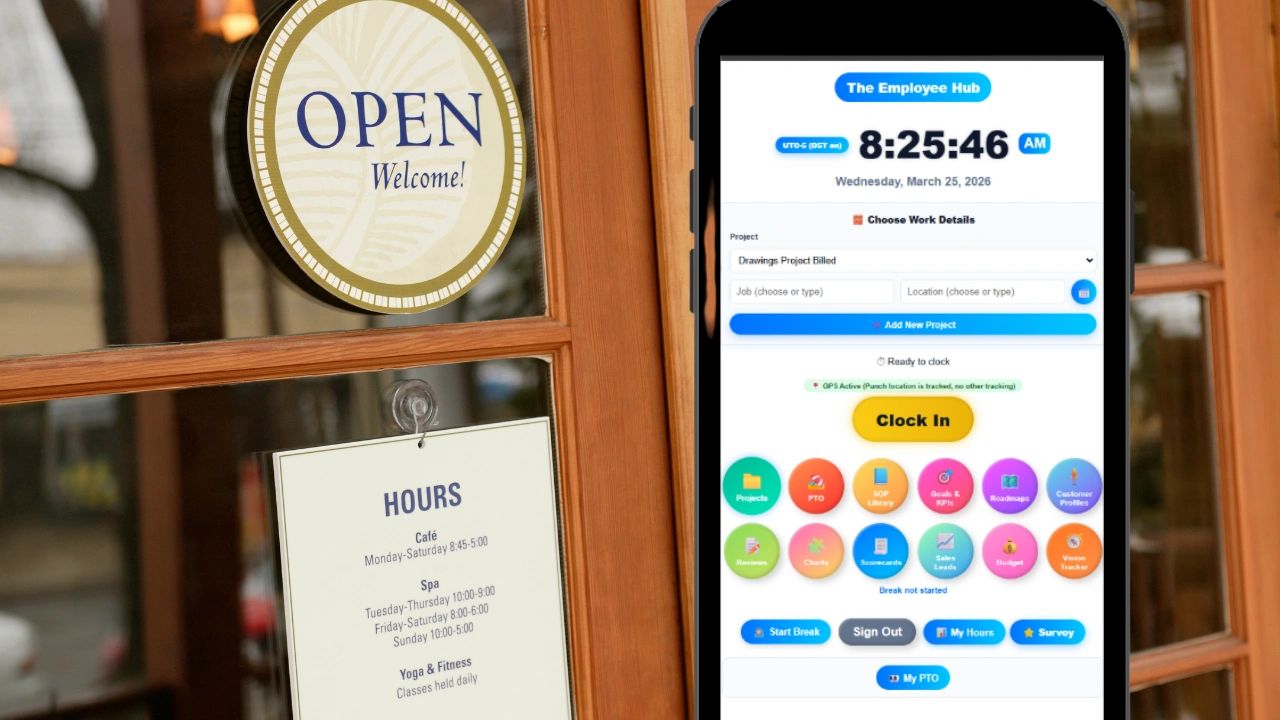
If you are running a small business with hourly employees, the way your team clocks in and out is one of the highest-leverage decisions you will make. It affects payroll accuracy, labor costs, compliance, and how much time you spend fixing timesheet problems every week. A bad clock in system costs you money. A good one runs quietly in the background and makes everything downstream easier.
This article covers what a clock in system actually is, why paper timecards and spreadsheets stop working at a certain point, what to look for when evaluating options, and why the right system for most small businesses is one that connects the time clock to scheduling, payroll, and HR without requiring three separate tools.
What Is a Clock In System?
A clock in system is the method your business uses to record when employees start and stop working. At the most basic level, it captures a timestamp at the beginning and end of each shift. At the more advanced end, it captures GPS location, breaks, project assignments, job codes, pay rates, and overtime calculations alongside those timestamps.
For small businesses, the system typically takes one of four forms. Paper timecards are the oldest method and still used by many small businesses despite the well-documented problems with accuracy and fraud. Spreadsheet timesheets are a step up from paper but still require manual entry and offer no real-time visibility. Punch clocks, either physical hardware or shared tablet kiosk apps, let employees clock in at a fixed location. Mobile GPS time tracking apps let employees clock in from anywhere while recording their location at the time of the punch.
The right choice depends on how your business operates, where your employees work, and how much time you can afford to spend on payroll administration each week.
Why Paper and Spreadsheets Stop Working
Most small businesses start with paper or spreadsheets. It feels manageable when you have three or four employees. By the time you have ten or fifteen, the problems are compounding in ways that directly hit your bottom line.
The most expensive problem is buddy punching. That is when one employee clocks in for another who has not arrived yet. Studies estimate that buddy punching costs employers somewhere between 2 and 5 percent of gross payroll annually. For a small business running a $500,000 annual payroll, that is between $10,000 and $25,000 in labor costs paid for time that was not worked.
The second problem is timesheet errors. Manual entry produces mistakes. Employees forget to record breaks, misremember their start time, or round up on hours worked. Managers catch some of it during review but not all of it, and the errors that make it through to payroll create overpayments that are difficult to recover.
The third problem is compliance. Wage and hour law in most states requires accurate records of hours worked, break times, and overtime. Paper records are vulnerable to disputes because there is no independent verification of when an employee actually started work. A GPS-verified digital record provides documentation that paper cannot.
The fourth problem is the time it takes to process payroll. When a manager has to collect paper timecards, manually enter hours into a payroll system, check for errors, and handle disputes from employees who question their totals, that process consumes hours every pay period. A digital clock in system that exports directly to payroll reduces that to minutes.
What to Look For in a Clock In System for Small Business
Not all clock in systems are built the same. Here is what matters when you are evaluating options for a small business.
GPS Verification
If your employees work at a specific location or travel between job sites, GPS clock-in is the feature that eliminates buddy punching and gives you verified location data on every punch. The system records where the employee was when they clocked in, and that record is tied to the timestamp permanently.
Geofencing takes this a step further. You define the approved clock-in zone around your business location or job site, and the system will not allow an employee to punch in from outside that boundary. This is the most reliable way to ensure that clock-ins are happening from where they should be.
Mobile-First Design
Most hourly employees do not work at a desk. They work on job sites, in restaurants, in warehouses, in retail stores, or in client homes. A clock in system that requires a computer is not a real solution for those environments. The app needs to work on any smartphone, load quickly, and be simple enough that an employee who is not tech-savvy can learn it in under five minutes.
Offline Functionality
Construction sites, rural locations, warehouse interiors, and other work environments frequently have weak or no cell signal. A clock in system that requires an active internet connection will produce missed punches in those situations. The best mobile time clock apps cache the punch locally and sync it automatically when the device reconnects.
Break Tracking
Federal law and many state laws require accurate records of meal and rest breaks. A system that only captures clock-in and clock-out times leaves a gap in the record. Break tracking, where employees start and end their breaks through the same app, gives you a complete record of time worked versus time on break and protects you in a wage and hour dispute.
Midnight Splits
For businesses that run overnight shifts, employees who clock in before midnight and clock out after midnight need their hours split correctly between two calendar dates. This matters for overtime calculations, scheduling, and payroll accuracy. A system that handles midnight splits automatically saves significant manual correction time on overnight operations.
Overtime Tracking
Federal overtime kicks in at 40 hours per week. California overtime is calculated daily at 8 hours, with double time after 12 hours. Several other states have their own overtime rules. Your clock in system needs to track overtime correctly for the rules that apply to your business, not just the federal standard. Getting this wrong is expensive and creates legal exposure.
Timesheet Approval and Audit Log
Before timesheets go to payroll, someone needs to review and approve them. A good system gives managers a clear approval workflow and keeps an audit log of every change made to a timesheet, including who made the change and when. This creates accountability and protects both the business and the employee in a dispute.
Payroll Export
The goal of a clock in system is not just to capture hours. It is to get those hours into payroll accurately with as little manual work as possible. Look for a system that exports directly to your payroll provider, whether that is Gusto, ADP, Paychex, or another platform, with pay rates, overtime calculations, and any additional compensation like tips or mileage already included in the export.
Kiosk Mode
For businesses where employees share a single device, kiosk mode lets the device function as a shared punch station. Employees enter their employee ID or PIN to clock in and out from a tablet mounted near the entrance. This is common in restaurants, retail stores, and warehouses where issuing individual devices to every employee is not practical.
The Connection Between Clock In and Everything Else
Here is the piece that most small businesses miss when they are evaluating time clock systems. The clock in is not an isolated event. It connects to scheduling, payroll, HR records, and labor cost reporting. When those connections are broken because you are using separate tools for each function, you end up with data reconciliation problems that consume administrative time every week.
The schedule says an employee was supposed to start at 7am. They clocked in at 7:42am. Does your system flag that automatically, or do you find out at the end of the pay period when the labor cost report does not match the budget? If you have a separate scheduling tool and a separate time tracking tool, the answer is usually the latter.
The same problem appears with PTO. An employee requests two vacation days. The request lives in your HR system. The timesheet lives in your time tracking system. Unless someone manually checks both before running payroll, the employee might get paid twice for those days, once for the PTO and once because the timesheet was not adjusted.
A clock in system that is part of a broader workforce management platform solves these problems by design. The schedule, the time clock, the PTO balance, and the payroll export all pull from the same data. Discrepancies get flagged automatically. The reconciliation work goes away.
Clock In Systems by Industry: What Each Type of Business Needs
Different industries have different requirements. Here is how a clock in system should work for the most common small business types.
Restaurants and Hospitality
Restaurants need a system that handles multiple positions and pay rates for the same employee, since a worker might clock in as a server, then clock out and back in as a shift lead at a different rate. Tip tracking alongside the timesheet is critical so that tip income is recorded at the time of the punch rather than entered manually later. Break compliance is particularly important in states with mandatory meal break laws where missing a compliant break triggers a penalty premium. Kiosk mode is the standard setup since most restaurant employees do not use personal devices during their shift.
Construction and Field Services
Construction teams need GPS clock-in that works reliably in areas with weak signal. Job site geofencing ensures employees are on the correct site before they can punch in. Multiple job codes let foremen track labor costs across different phases of a project. Pay rate multipliers for prevailing wage projects need to be built into the payroll export so that public works contracts are billed correctly. Mileage tracking between job sites connects to payroll for reimbursement without requiring a separate expense system.
Retail
Retail clock in systems need to be fast since employees are often clocking in and out multiple times in a shift. Kiosk mode with a PIN or employee ID is the standard approach. Schedule integration is particularly important in retail since labor scheduling is tightly tied to store traffic patterns and overtime management is a constant concern. Real-time visibility into who is clocked in across multiple locations is valuable for multi-location retail operators.
Home Services and Cleaning
Businesses that send workers to client homes need GPS clock-in to verify that employees are at the correct address before starting work. Multiple job locations per day require the system to handle multiple clock-in and clock-out events cleanly and assign each one to the correct client or job. Mileage tracking between jobs connects directly to payroll for reimbursement.
Healthcare and Home Care
Healthcare employers face some of the strictest wage and hour compliance requirements. Break tracking is non-negotiable. Overtime records need to be precise. Many home care employers also need to match clock-in times to client authorization records to ensure billing accuracy. GPS verification at the client address is standard practice across the industry.
Labor Law Compliance and Why Your Clock In System Is Your First Line of Defense
Wage and hour law is one of the most active areas of employment litigation in the United States. The Department of Labor recovered over $274 million in back wages for workers in fiscal year 2023 alone, and a significant portion of those cases involved small businesses with inaccurate or missing time records.
The most common violations that a proper clock in system prevents are failure to pay for all time worked, failure to provide compliant meal and rest breaks, incorrect overtime calculations, and rounding practices that consistently favor the employer.
On the first issue, time worked includes any work the employer knows about or should know about. If an employee stays five minutes late to finish a task and you do not record it, that time is still compensable. A system that captures the actual punch-out time rather than relying on an employee to remember to record it protects you from this category of liability.
On overtime, the calculation becomes complicated when employees work across multiple pay rates, earn commissions or tips, or work in a state with daily overtime rules. A system that calculates the blended overtime rate automatically based on all compensation in the workweek is significantly more accurate than manual calculation.
On rounding, some employers round employee time to the nearest quarter hour. This practice is legal under federal law only if the rounding is neutral over time. If your rounding consistently shaves minutes off employee totals, it is a violation. Capturing exact punch times with no rounding is the safest approach.
How Much Does a Clock In System Cost?
Pricing for small business clock in systems varies widely. Here is the general landscape.
Free plans exist at several providers but are typically limited to small teams or stripped of features that matter most, like GPS verification or payroll export. They are a reasonable starting point for very small businesses but will need upgrading as the team grows.
Per-user monthly pricing is the most common model. Rates typically run from $3 to $12 per user per month for core time tracking features. For a team of fifteen employees, you are looking at $45 to $180 per month depending on the platform and plan.
The real cost question is not what the software costs but what inaccurate time tracking costs. If buddy punching is running at 2 percent of payroll and you have a $400,000 annual payroll, that is $8,000 per year in losses. A time clock system at $100 per month costs $1,200 per year. The math is straightforward.
Hardware costs apply if you go with a physical time clock or a shared tablet kiosk. A dedicated time clock terminal runs $100 to $300. A mounted tablet with a kiosk app is a similar investment. For businesses that use employee smartphones for GPS clock-in, hardware costs drop to zero.
How to Implement a Clock In System Without Disrupting Your Team
The biggest risk in rolling out a new clock in system is getting pushback from employees who are used to the old process. Here is how to do it without friction.
- Start with a clear explanation of why you are making the change. Employees who understand that the new system protects them by creating an accurate record of their time that they can verify themselves are more likely to adopt it than employees who feel like they are being surveilled. Frame it as giving them visibility into their own records.
- Pick a simple system. The most common implementation failure is choosing a platform that is too complex for the average employee to use without training. If an employee needs more than five minutes to understand how to clock in, the system will generate errors and resistance. A simple GPS clock-in flow that takes thirty seconds is always preferable to a feature-rich platform that requires a tutorial.
- Run a parallel period if possible. Let the new system run alongside your existing process for one or two pay periods before fully switching over. This lets you catch configuration errors before they create payroll problems and gives employees time to get comfortable.
- Train managers first. Managers who understand how to review timesheets, approve hours, and handle missed punches will be able to support employees during the transition. If managers are confused, employees will be too.
- Communicate the go-live date clearly. Give employees a specific date when the new system becomes the official record and the old process stops. Ambiguity about which system is authoritative leads to people using both or neither.
Updoot: A Clock In System Built for Small Business
Updoot includes a GPS time clock built specifically for small and mid-size businesses with hourly and field-based workforces. Clock-in is GPS-verified with location recorded on every punch. Geofencing enforces approved clock-in zones. Midnight splits, break timers, and California overtime tracking are all included. Kiosk punch mode works for shared device environments.
The time clock connects directly to scheduling so discrepancies between scheduled shifts and actual punches are flagged before they reach payroll. PTO balances update in real time. Timesheet approval and audit logs are included for both admins and employees. Payroll export goes directly to Gusto, ADP, Paychex, and other providers with gross pay, overtime, pay rate multipliers, tips, bonuses, commission, and mileage all calculated in the export.
Because Updoot is a full business operations platform, the time clock also connects to HR records, performance reviews, job descriptions, project management, invoicing, and business planning. For a small business owner who currently uses separate tools for time tracking and everything else, Updoot reduces the stack to one login.
Sign up free and have your first employee clocked in today.
Frequently Asked Questions
What is the best clock in system for small business?
The best clock in system for a small business depends on how your team works. For field-based or hourly teams, GPS clock-in with geofencing, break tracking, and direct payroll export is the baseline requirement. For businesses that also need scheduling, PTO management, and HR connected to the time clock, a platform like Updoot covers all of it without requiring separate tools. The goal is a system that reduces manual payroll work and eliminates the data reconciliation problems that come from disconnected tools.
How does a GPS clock in system work?
A GPS clock in system records the employee's location at the time they punch in or out using the location services on their mobile device. The coordinates are tied to the timestamp and stored with the timesheet record. Geofencing adds a boundary layer where the system defines an approved geographic zone and will not allow a clock-in from outside it. This eliminates buddy punching and gives employers verified location data on every punch.
Can employees clock in from their phone?
Yes. Most modern clock in systems for small business include a mobile app that employees download on their personal or company-issued phone. The app records the GPS location at clock-in, tracks breaks, and syncs the timesheet to the employer's dashboard in real time. The best apps are designed to work on older devices and in low-connectivity environments so that field workers can punch in reliably regardless of signal strength.
How do I prevent buddy punching?
The most reliable way to prevent buddy punching is GPS verification combined with geofencing. When a clock-in requires the employee's device to be physically present at the approved location, it is not possible for one employee to clock in on behalf of another unless they are standing in the same place. PIN-based kiosk systems reduce but do not eliminate buddy punching since employees can share PINs. GPS is the stronger control.
Do I need a clock in system if I have salaried employees?
Not for payroll purposes if all of your employees are exempt salaried workers. But most small businesses have a mix of salaried and hourly employees, and the hourly workers need accurate time records for both payroll and labor law compliance. Even for salaried employees, tracking time by project or client can be valuable for understanding labor costs and billing accuracy.
What is the difference between a time clock and a time tracking app?
A time clock records when an employee starts and stops working. A time tracking app does the same thing but typically adds project tracking, job codes, and reporting on how time is allocated across tasks or clients. For small businesses with hourly workers paid for time at a location, a time clock is the primary need. For service businesses that bill clients by the hour or need to track labor costs by project, a time tracking app adds value beyond the basic clock-in record.
How does a clock in system connect to payroll?
Most digital clock in systems include a payroll export feature that formats timesheet data for your payroll provider. The export typically includes total hours worked, overtime hours, pay rates, and any additional compensation. The best systems calculate gross pay, overtime, and pay rate multipliers before the export so that what goes into your payroll provider is ready to run without manual adjustment. Updoot exports directly to Gusto, ADP, Paychex, and other major payroll platforms with all calculations already included.
What industries need a GPS clock in system the most?
Construction, home services, cleaning, landscaping, healthcare, and any business where employees work at client locations or multiple job sites benefit most from GPS clock-in. These industries have the highest risk of buddy punching, the greatest need for job-site verification, and the most complex payroll calculations tied to location and project. Restaurants and retail benefit from kiosk-based systems, while field-based industries need mobile GPS as the primary method.
Is a clock in app better than a physical time clock?
For most small businesses in 2026, a mobile clock in app is more practical than a physical time clock. A physical punch clock requires every employee to be at one location and offers no GPS verification or real-time visibility. A mobile app works from any job site, captures GPS data, syncs in real time, and connects to payroll export without manual data transfer. The exception is businesses where employees do not carry phones during their shift, like some manufacturing and food service environments, where a kiosk tablet running a clock-in app is the better solution.
How do I track employee hours across multiple locations?
A cloud-based GPS clock in system handles multiple locations naturally. Each punch records the GPS coordinates of where it happened, so the manager dashboard shows which employees are clocked in at which location in real time. Geofencing can be configured for each location separately so that employees can only punch in from the correct site. Payroll reports can be filtered by location to show labor costs broken down by job site or branch.
What should I do when an employee forgets to clock out?
Every good clock in system has a process for handling missed punches. The manager or admin should be able to edit the timesheet directly, adding the correct clock-out time with a note explaining the correction. The audit log records who made the change and when, so the correction is documented. Some systems automatically flag timesheets where an employee is still clocked in after a certain number of hours, alerting the manager before the missed punch creates a larger problem at payroll time. Updoot flags anomalous timesheet entries automatically so that missed punches are caught before they reach payroll.